
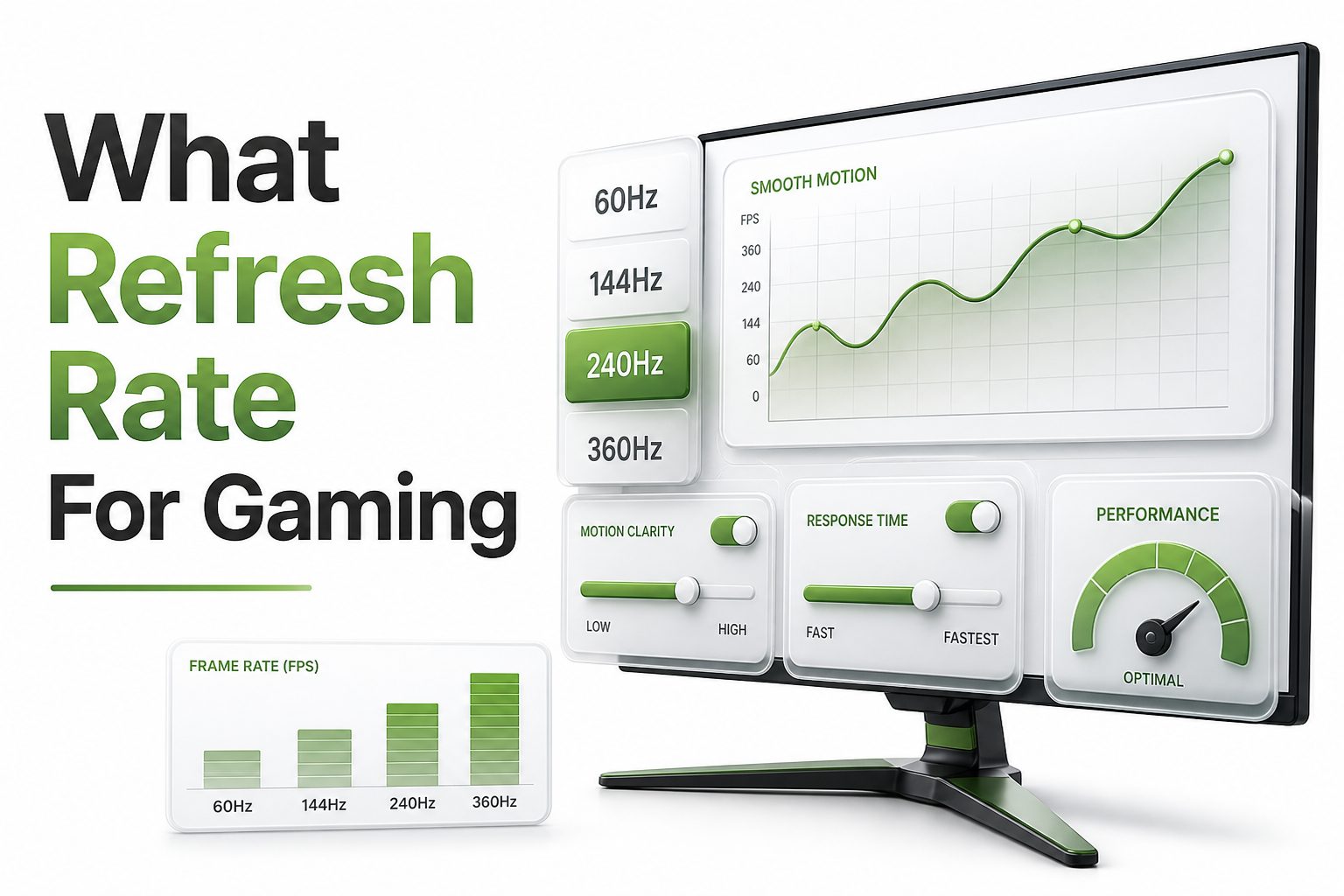
Gaming monitor specs can feel like a wall of numbers: resolution, response time, panel type, adaptive sync, HDR, input lag, and refresh rate. Yet if you are trying to decide what refresh rate for gaming makes sense, the answer depends less on hype and more on the games you play, your hardware, and how sensitive you are to motion. A 60Hz display can still run many story-driven games well, but faster panels can make aiming, camera movement, and reaction-based play feel much cleaner.
Refresh rate measures how many times per second your screen can update the image. A 144Hz monitor refreshes 144 times per second, while a 240Hz model refreshes 240 times per second. Higher numbers can reduce blur and make gameplay feel more responsive, but only when your PC or console can deliver enough frames. The best choice is the refresh rate that matches your games, your graphics performance, and your budget.
What Refresh Rate Means for Gaming
Refresh rate is measured in hertz, shortened to Hz. A 60Hz screen updates 60 times every second, while a 120Hz screen updates twice as often. In gaming, more updates can make motion appear smoother because the display shows more individual frames during fast movement.
Refresh rate is separate from frame rate, though they work together. Frame rate is how many frames your system produces per second. Refresh rate is how many frames your monitor can show. If your game runs at 80 FPS on a 144Hz screen, you still see only 80 unique frames.
Why Refresh Rate Affects How Games Feel
A higher refresh rate can reduce the delay between your input and what appears on screen. When you move the mouse, aim down sights, or turn a camera, the display can show your action sooner. That difference matters most in games where timing and precision decide the outcome.
Motion clarity is another major benefit. Fast camera pans, racing lines, and enemy movement can look sharper at higher refresh rates. The image may not become more detailed, but it can become easier to track, especially when paired with strong frame rates and low response times.
Quick Refresh Rate Facts
60Hz is playable for many casual and story-focused games.
120Hz is a strong baseline for modern console and PC gaming.
144Hz and 165Hz are excellent value points for most PC gamers.
240Hz is best for competitive shooters and high-FPS esports titles.
360Hz and above mainly benefit highly skilled competitive players.
Refresh rate works best when your system can produce similar frame rates.
Response time, input lag, and adaptive sync also affect smoothness.
60Hz Gaming Still Has a Place
A 60Hz monitor is not useless for gaming. Many single-player adventures, RPGs, strategy games, and slower-paced titles remain enjoyable at 60Hz. If you mostly play cinematic games at high settings, a stable 60 FPS can look polished and feel consistent.
The tradeoff is responsiveness. Once you spend time on a 120Hz, 144Hz, or 165Hz display, going back to 60Hz can feel less fluid. Camera motion may look choppier, and quick aiming can feel heavier, especially in first-person shooters or fast action games.
120Hz as the Modern Sweet Spot for Consoles
For PlayStation 5 and Xbox Series X players, 120Hz is often the practical target. Many console games offer 120 FPS performance modes, especially shooters, racing games, and sports titles. A 120Hz TV or monitor lets those modes display properly without wasting frames.
Console gamers should also check HDMI support. For 4K at 120Hz, HDMI 2.1 is usually required. If you play at 1080p or 1440p, requirements may be more flexible, but the display still needs to support the resolution and refresh rate combination you want.
Console Gaming Refresh Rate Checklist
Choose 120Hz if you play competitive console games.
Look for HDMI 2.1 when buying a 4K 120Hz display.
Check whether your favorite games support 120 FPS modes.
Enable performance mode in game settings when available.
Use VRR if your TV or monitor supports it.
Avoid buying 240Hz only for consoles unless you also use a PC.
144Hz and 165Hz for Most PC Gamers
For many PC players, 144Hz remains the best answer to what refresh rate for gaming offers strong value. It feels much smoother than 60Hz, works well across many genres, and does not require extreme hardware in every game. It is also widely available at reasonable prices.
165Hz monitors are often close in price to 144Hz models. The difference is smaller than the jump from 60Hz to 144Hz, but it can still feel slightly smoother. If the panel quality, response time, and price are similar, 165Hz is usually worth choosing.
240Hz for Competitive Players
A 240Hz monitor is built for players who care about speed above everything else. Competitive shooters such as Valorant, Counter-Strike, Overwatch, and Fortnite can benefit from the extra motion clarity and lower input latency, especially when the system can push very high FPS.
The gain from 144Hz to 240Hz is noticeable, but it is smaller than the jump from 60Hz to 144Hz. Casual players may not feel a dramatic difference. Serious competitive players, however, often value even a small improvement in tracking and reaction timing.
Refresh Rate Comparison Table
Refresh Rate | Best For | Main Benefit | Hardware Demand
60Hz | Casual gaming, RPGs, strategy games | Basic smooth
120Hz | Console gaming, sports, racing | Noticeably
144Hz | Most PC gaming | Excellent balance of speed and
165Hz | PC gaming with extra smoothness | Slight upgrade
240Hz | Competitive esports | Lower latency and clearer
360Hz+ | Elite competitive play | Maximum responsiveness |
360Hz and Higher for Esports Specialists
Displays at 360Hz, 500Hz, and beyond exist for a narrow audience. They are not aimed at players who want the best visuals in cinematic games. They are built for esports players who run low settings, chase maximum FPS, and value responsiveness over image quality.
These monitors also demand serious hardware. If your system cannot maintain very high frame rates, the benefit shrinks quickly. A 360Hz screen running a game at 160 FPS will still work, but it will not deliver the full advantage that justifies the higher price.
How Frame Rate Changes the Refresh Rate Decision
A monitor can only show what your system produces. If your PC averages 90 FPS in your favorite games, a 240Hz monitor will not magically make them feel like 240 FPS. It can still reduce some display-side latency, but the real improvement depends on frame output.
Before buying, check benchmarks for your graphics card and CPU at your target resolution. A 1440p gaming monitor at 165Hz may be perfect for a strong midrange PC, while 4K at 144Hz needs much more GPU power. Match the display to realistic performance, not ideal numbers.
Smart Buying Tips
Prioritize stable FPS over chasing the highest refresh rate.
Buy 144Hz or 165Hz for the best value in PC gaming.
Choose 120Hz for modern consoles unless using the monitor with a PC.
Consider 240Hz only if you play high-FPS competitive games often.
Do not ignore panel quality, color, contrast, and response time.
Check reviews for real-world motion handling, not just listed specs.
For more buying context, see our gaming monitor buying guide.
Refresh Rate and Resolution Tradeoffs
Resolution and refresh rate compete for graphics power. A game at 4K looks sharper than 1080p, but it is much harder to run at high frame rates. That means a 4K 144Hz monitor may require stronger hardware than a 1080p 240Hz monitor.
The right balance depends on what you play. Competitive players often prefer 1080p or 1440p with higher refresh rates. Single-player players may prefer 1440p or 4K with 120Hz or 144Hz. Image sharpness and motion smoothness both matter, but not equally for every genre.
Response Time Also Matters
Refresh rate tells you how often the screen updates, but response time describes how quickly pixels change from one color to another. A high refresh rate monitor with slow pixel response can still show ghosting, smearing, or blurry motion during fast scenes.
Manufacturer response time claims can be optimistic. Look for independent reviews that test overshoot, ghosting, and real pixel transitions. A good 144Hz monitor with clean response behavior can look better in motion than a poor 240Hz monitor with heavy artifacts.
Important Display Features to Check
Adaptive sync support such as FreeSync, G-Sync, or HDMI VRR.
Low input lag in the monitor’s gaming mode.
Strong pixel response at your chosen refresh rate.
A panel type that fits your visual preferences.
Ports that support your target resolution and refresh rate.
Good overdrive tuning without obvious inverse ghosting.
Clear review data from reliable monitor testers.
Adaptive Sync and Smooth Gameplay
Adaptive sync technologies help your monitor match its refresh behavior to your game’s frame rate. This reduces screen tearing and can make variable frame rates feel smoother. It is especially useful when your FPS moves above and below a fixed target during demanding scenes.
FreeSync, G-Sync Compatible, and HDMI VRR are common examples. They do not replace high refresh rate, but they make high refresh displays easier to enjoy. If your game fluctuates between 90 and 140 FPS, adaptive sync can make that range feel more consistent.
Input Lag and Competitive Gaming
Input lag is the delay between your action and the result appearing on screen. Refresh rate can reduce part of that delay, but monitor processing, game settings, controller polling, and system performance also matter. Low latency mode and proper display settings can help.
For competitive gaming, use the monitor’s game mode, avoid heavy image processing, and keep frame rates high. On PC, technologies like Nvidia Reflex can reduce system latency in supported games. The monitor is one piece of the chain, not the entire answer.
Low-Latency Setup Tips
Use DisplayPort for high-refresh PC gaming when practical.
Use HDMI 2.1 for 4K 120Hz console gaming.
Enable game mode on TVs and monitors.
Turn off unnecessary image processing features.
Use adaptive sync when supported by your system.
Keep graphics settings tuned for stable frame rates.
Update GPU drivers when troubleshooting stutter or latency.
Best Refresh Rate by Game Genre
Different games reward refresh rate in different ways. First-person shooters, battle royale games, racing games, rhythm games, and fighting games usually benefit most from faster screens. Quick motion and precise timing make smoother updates more noticeable during normal play.
Slower genres are less demanding. Turn-based strategy, city builders, card games, and many RPGs do not need 240Hz to feel good. For these games, resolution, color, contrast, and screen size may improve the experience more than extreme refresh rate.
Best Refresh Rate for Shooters
For shooters, 144Hz or 165Hz should be considered the practical starting point for PC players. These refresh rates make aiming smoother, improve target tracking, and reduce the disconnected feeling that can happen when mouse movement updates slowly on a 60Hz display.
Competitive players who can maintain high FPS should consider 240Hz. It provides clearer motion during strafing, flicking, and recoil control. The improvement will not replace skill, positioning, or practice, but it can remove a small amount of visual and input delay.
Best Refresh Rate for Racing and Sports Games
Racing games benefit from higher refresh rates because speed is constant and visual flow matters. Road edges, braking markers, and nearby cars are easier to read when motion is smooth. A 120Hz or 144Hz display can make a racing setup feel more connected.
Sports games also feel better at higher refresh rates, especially when players move quickly across the screen. Timing passes, shots, tackles, and defensive movements can feel more responsive. For console sports games, 120Hz support is a strong feature to look for.
Best Refresh Rate for RPGs and Story Games
For RPGs and story-heavy games, refresh rate still improves camera motion, but it may not be the top priority. A stable 60 FPS can feel good, while 120Hz or 144Hz adds polish. Visual settings, HDR, and resolution often matter more in these games.
If you play a mix of RPGs and action games, 144Hz or 165Hz is a flexible choice. It gives you smoother movement when games support high FPS while still leaving room for high visual settings. For related setup advice, read our PC gaming performance tips.
Genre-Based Refresh Rate Guide
Shooter games: 144Hz to 240Hz.
Battle royale games: 144Hz to 240Hz.
Racing games: 120Hz to 165Hz.
Sports games: 120Hz to 165Hz.
Fighting games: 120Hz is usually enough, depending on game support.
RPGs and adventure games: 60Hz to 144Hz.
Strategy and simulation games: 60Hz to 120Hz.
Refresh Rate for Budget Gaming Builds
Budget gaming PCs often cannot push very high frame rates in modern AAA games. For these systems, a 1080p 144Hz monitor is usually a smart buy. It gives you high-refresh benefits in lighter games while staying affordable and easy to drive.
If your GPU is older or entry-level, do not overspend on 240Hz unless you mainly play esports titles at low settings. A better panel, adaptive sync, and consistent performance will usually matter more. Smooth 100 FPS can feel better than unstable spikes toward 200 FPS.
Refresh Rate for Midrange Gaming PCs
Midrange PCs are often the best match for 1440p at 144Hz or 165Hz. This combination gives a sharp image and fluid motion without demanding the extreme hardware needed for high-refresh 4K. Many modern GPUs can reach this range with tuned settings.
The key is to avoid buying only by headline specs. A strong 1440p 165Hz monitor with good response time and adaptive sync can serve for years. It works well for shooters, RPGs, racing games, and daily desktop use without forcing constant upgrades.
Budget and Midrange Buying Priorities
For tight budgets, choose 1080p 144Hz with adaptive sync.
For midrange PCs, consider 1440p 144Hz or 165Hz.
Spend more on panel quality before chasing 240Hz.
Check whether your GPU supports the monitor’s ports.
Leave room in the budget for a better mouse or controller.
Avoid cheap high-refresh panels with poor motion reviews.
Refresh Rate for High-End Gaming PCs
High-end systems open the door to 1440p 240Hz or 4K 144Hz. These setups offer either very fast competitive performance or sharp premium visuals with smooth motion. The better choice depends on whether you care more about esports speed or visual detail.
A powerful GPU can still struggle in demanding ray-traced games at 4K high refresh rates. Upscaling technologies can help, but expectations should stay realistic. Even expensive systems benefit from tuned settings, frame caps, and adaptive sync for smoother frame pacing.
Refresh Rate for Gaming Laptops
Gaming laptops often advertise high refresh rates, including 144Hz, 165Hz, 240Hz, and 300Hz panels. These screens can be excellent, but laptop GPUs vary widely in power. A model’s cooling and wattage can matter as much as the GPU name printed on the box.
If you buy a laptop, match the screen to the graphics performance. A 165Hz panel is a sensible target for many laptops. Very high refresh panels are most useful for esports players who use low settings and can keep frame rates consistently high.
High-End Setup Notes
Choose 1440p 240Hz for competitive PC gaming with strong hardware.
Choose 4K 144Hz for premium visuals and smooth single-player gaming.
Use upscaling carefully when chasing high frame rates.
Keep thermals in mind on gaming laptops.
Use external monitors if your laptop panel limits your setup.
Cap frame rates slightly below refresh rate when using adaptive sync.
When Higher Refresh Rate Is Not Worth It
Higher refresh rate is not always the best upgrade. If your games run far below your monitor’s refresh ceiling, money may be better spent on a graphics card, CPU, or better display quality. A sharper or more accurate panel may improve your daily experience more.
It also may not matter much for slow-paced players. If you rarely play competitive games and prefer visual fidelity, a 4K 120Hz or 144Hz display can be more satisfying than a 1080p 240Hz screen. The best monitor reflects your habits, not someone else’s benchmark chart.
How to Choose Your Ideal Refresh Rate
Start with your most-played games, then check typical FPS for your hardware. If those games are shooters or competitive titles, lean toward 144Hz, 165Hz, or 240Hz. If they are cinematic games, 120Hz or 144Hz can be enough while preserving visual quality.
Also think about how long you plan to keep the monitor. Displays often outlast graphics cards, so buying slightly above your current performance can make sense. Just avoid paying for extreme refresh rates you are unlikely to use during the monitor’s lifespan.
Final Decision Guide
Choose 60Hz only for basic or casual gaming.
Choose 120Hz for modern console gaming and balanced smoothness.
Choose 144Hz if you want the safest PC gaming value.
Choose 165Hz when the price is close to 144Hz.
Choose 240Hz for competitive shooters with high FPS.
Choose 360Hz or higher only for serious esports use.
Balance refresh rate with resolution, response time, and panel quality.
Conclusion
The best refresh rate depends on your games, your system, and your standards for smoothness. For most players, 144Hz or 165Hz is the strongest PC gaming choice because it offers a clear upgrade over 60Hz without pushing cost or hardware demands too far. Console players should usually target 120Hz, especially when using a PlayStation 5 or Xbox Series X with games that support performance modes.
Competitive players who can maintain very high frame rates may benefit from 240Hz, while 360Hz and higher belong mostly to esports specialists. Casual players and fans of slower games can still enjoy 60Hz, though 120Hz feels noticeably better once you get used to it. When deciding what refresh rate for gaming fits your setup, look beyond the number on the box. Frame rate, resolution, response time, adaptive sync, and input lag all shape the final experience.
FAQ
Is 144Hz enough for gaming?
Yes, 144Hz is enough for most gamers. It feels much smoother than 60Hz and works well for shooters, racing games, RPGs, and general PC gaming. It also offers excellent value compared with more expensive high-refresh options.
Is 240Hz better than 144Hz?
240Hz is better for competitive gaming when your system can produce very high FPS. The improvement is real but smaller than the jump from 60Hz to 144Hz. Casual players may prefer better resolution or image quality instead.
Do consoles need more than 120Hz?
Most console players do not need more than 120Hz. PlayStation 5 and Xbox Series X commonly target 120 FPS in supported games. A 240Hz monitor only makes sense if it will also be used with a gaming PC.
Does refresh rate improve graphics quality?
Refresh rate does not increase texture detail, resolution, or color quality. It improves motion smoothness and responsiveness. A game can look sharper during movement at higher refresh rates, but visual quality still depends on resolution, panel type, and settings.
What refresh rate is best for 4K gaming?
For 4K gaming, 120Hz or 144Hz is usually the best target. It gives smooth motion while keeping hardware demands realistic for high-end PCs and modern consoles. Higher refresh rates at 4K require very powerful graphics hardware.
0 Comments