
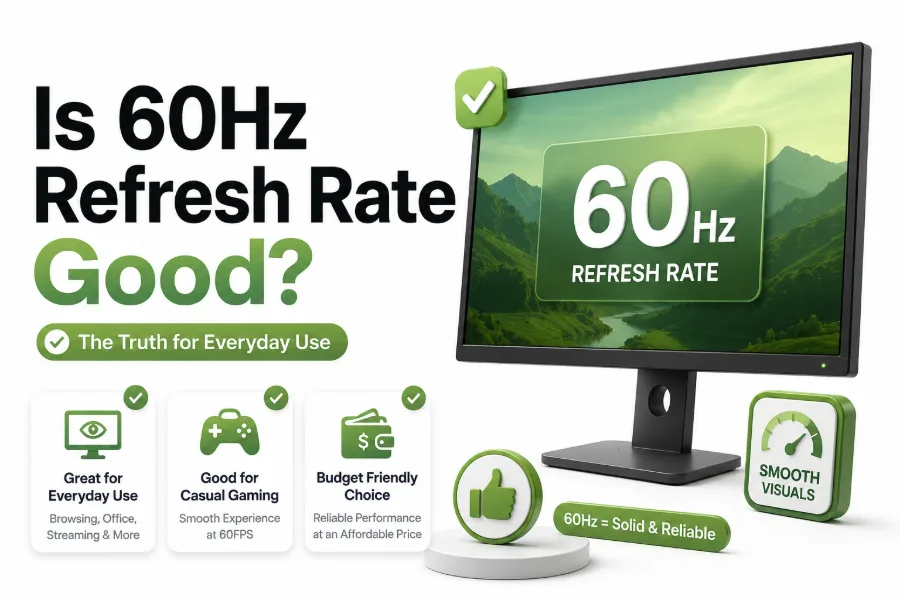
A 60Hz screen refreshes 60 times per second, which has been the standard for televisions, laptops, monitors, and phones for many years. Because higher refresh rates are now common, many buyers wonder whether older or budget-friendly displays still hold up. The short answer is yes, but it depends heavily on how you use your screen.
If you are asking is 60hz refresh rate good, the real answer comes down to expectations. For browsing, office work, watching movies, school tasks, and casual gaming, 60Hz can still feel perfectly comfortable. For competitive gaming, fast scrolling, high-end phones, and premium monitors, higher refresh rates offer a smoother, more responsive feel that many users quickly notice.
What 60Hz Refresh Rate Actually Means
A 60Hz refresh rate means the display can redraw the image 60 times every second. This affects motion smoothness, cursor movement, scrolling, and how quickly visual changes appear on screen. It does not automatically improve image quality, color accuracy, brightness, or resolution.
Refresh rate works closely with frame rate. If a game runs at 60 frames per second on a 60Hz screen, the display can show each frame properly. If the device produces more frames than the screen can show, those extra frames may not fully appear.
Why 60Hz Still Feels Fine for Many Users
For everyday use, 60Hz remains practical because most basic tasks do not require ultra-fast motion. Reading articles, writing documents, checking email, using spreadsheets, and watching standard video content all work well on a 60Hz display without feeling broken or outdated.
Many movies and streaming shows are filmed at 24 or 30 frames per second, so a 60Hz screen is already capable of handling that content smoothly. Unless you are sensitive to motion or used to faster displays, 60Hz often feels normal.
Quick Facts About 60Hz Displays
- 60Hz means the screen refreshes 60 times per second.
- It is still common on budget monitors, TVs, and laptops.
- Most movies and shows do not need more than 60Hz.
- Casual games can look and play well at 60Hz.
- Competitive gamers usually benefit from 120Hz, 144Hz, or higher.
- Refresh rate is different from resolution, brightness, and color quality.
Is 60Hz Good for Gaming
A 60Hz refresh rate is good for casual gaming, story-driven games, strategy titles, platformers, racing games, and many console games. If your system targets 60 frames per second, a 60Hz monitor can deliver a stable and enjoyable gaming experience without demanding expensive hardware.
The limits become more obvious in fast shooters, esports titles, and games where reaction time matters. A 144Hz or 240Hz display can show motion more fluidly and reduce the delay between input and visible response, which gives competitive players a noticeable advantage.
Console Gaming at 60Hz
For many console players, 60Hz is still a strong option. A large number of PlayStation, Xbox, and Nintendo Switch games are designed around 30fps or 60fps performance targets. On those titles, a 60Hz TV or monitor can match the intended experience well.
Newer consoles support 120Hz in selected games, but not every player needs it. If you mostly play single-player adventures, sports games, RPGs, or local multiplayer titles, 60Hz can still feel smooth enough, especially when paired with good response time and low input lag.
PC Gaming at 60Hz
PC gaming is more flexible because frame rates vary based on your hardware and settings. A 60Hz monitor works well if your graphics card consistently delivers around 60fps. It can also let you use higher graphics settings instead of chasing very high frame rates.
If you play Valorant, Counter-Strike, Fortnite, Apex Legends, or similar competitive games, 60Hz can feel restrictive. These games reward quick aiming and tracking, and a faster display can make movement easier to read. For casual PC players, though, 60Hz remains usable.
60Hz Compared With Higher Refresh Rates
Refresh Rate Best For Main Advantage
60Hz Work, streaming, casual gaming Affordable and widely supported
75Hz Budget gaming, office use Slightly smoother than 60Hz
120Hz Console gaming, phones, laptops Noticeably smoother motion
144Hz PC gaming, esports Better responsiveness
240Hz and higher Competitive players Maximum motion clarity
Higher refresh rates make the biggest difference when content can actually run at matching frame rates. A 144Hz monitor is useful only if your device can produce high frame rates often enough to benefit from it.
Is 60Hz Good for Work and Productivity
For office productivity, 60Hz is usually good enough. Word processing, data entry, project management tools, research, email, and video calls do not need high refresh rates. A sharper resolution, better panel quality, and comfortable size often matter more for work.
That said, higher refresh rates can make scrolling, window movement, and cursor tracking feel smoother. People who spend all day switching between apps may appreciate 120Hz or 144Hz, but it is a comfort upgrade rather than a strict requirement for productivity.
Best Work Setups for 60Hz
A good 60Hz productivity setup should prioritize screen size, resolution, ergonomics, and text clarity. A 27-inch 1440p monitor at 60Hz can be more useful for many workers than a smaller 1080p display with a higher refresh rate.
If you work with design, video editing, or photography, color accuracy may be more important than refresh rate. For those users, a quality 60Hz IPS or OLED panel can be a better investment than a cheaper high-refresh display with weak colors.
Is 60Hz Good for Movies and Streaming
For movies and TV shows, 60Hz is generally good. Most films are created at 24fps, while many television programs and online videos use 30fps or 60fps. A 60Hz display can handle all of those formats without needing a faster refresh rate.
Sports and live broadcasts can benefit from smoother motion, but the source matters. If the stream itself is 60fps, a 60Hz screen can show it fully. A higher-refresh TV may use motion processing, but that can sometimes create an unnatural look.
Streaming Tips for 60Hz Screens
- Use the native resolution of your display whenever possible.
- Turn off aggressive motion smoothing if movies look unnatural.
- Choose 60fps streams for sports, gaming videos, and live events.
- Prioritize HDR, contrast, and brightness for movie quality.
- Use a stable internet connection before blaming the screen.
- Keep your display settings matched to the device output.
Is 60Hz Good for Smartphones
A 60Hz phone is still usable for calls, messaging, browsing, social media, banking, navigation, and video streaming. Many users can comfortably use a 60Hz phone every day, especially if the software is well optimized and the touch response is reliable.
However, phones with 90Hz, 120Hz, or adaptive refresh rates feel smoother when scrolling and switching apps. The difference is often easier to notice on phones because people swipe and scroll constantly. Once you get used to 120Hz, going back to 60Hz may feel slower.
Battery Life on 60Hz Phones
One advantage of 60Hz phones is battery efficiency. Refreshing the display fewer times per second can reduce power use, especially on devices without advanced adaptive refresh technology. That can matter for people who value long battery life over visual smoothness.
Some premium phones automatically switch refresh rates based on content. They may use high refresh rates while scrolling, then drop lower when the screen is static. Budget phones with fixed 60Hz panels can still offer steady performance and better battery endurance.
Is 60Hz Good for Laptops
A 60Hz laptop display is fine for school, business, writing, web browsing, coding, streaming, and travel use. Many excellent productivity laptops still ship with 60Hz panels because portability, battery life, keyboard quality, and screen sharpness matter more to most buyers.
Gaming laptops are a different story. If the laptop has a strong GPU, a 144Hz or higher panel helps the hardware feel more worthwhile. For basic laptops or ultrabooks, 60Hz is reasonable and often keeps cost and power consumption lower.
Buying Advice for Laptop Users
If you are choosing between a sharper 60Hz display and a lower-quality high-refresh panel, choose based on your main use. Writers, students, and office users often benefit more from resolution and brightness than faster refresh rates.
Gamers should check both refresh rate and graphics performance. A laptop with a 144Hz screen but weak hardware may not reach high frame rates in demanding games. For more screen-buying help, see our monitor buying guide: /monitor-buying-guide.
Input Lag and Response Time Matter Too
Refresh rate is only one part of how smooth a screen feels. Input lag measures how long it takes for your action to appear on screen. Response time measures how quickly pixels change from one shade to another. Both affect motion clarity.
A poor 60Hz display with high input lag can feel sluggish, while a well-made 60Hz display can feel responsive. For gaming and interactive use, look for low input lag, fast pixel response, and a gaming mode if you are buying a TV.
Screen Quality Can Matter More Than Refresh Rate
A display’s panel type, contrast, color accuracy, brightness, resolution, and viewing angles can affect daily satisfaction more than refresh rate. A cheap high-refresh monitor may look washed out or uneven, while a good 60Hz display can look clean and comfortable.
For movie watching, photo work, and general use, image quality should not be sacrificed just to get a higher number. Refresh rate improves motion, but it does not fix poor colors, weak black levels, low brightness, or blurry text.
Display Quality Checklist
- Choose IPS or OLED for better viewing angles and color.
- Check brightness if you use the screen in daylight.
- Pick higher resolution for sharper text and more workspace.
- Look for low input lag if gaming matters.
- Avoid very slow response times on gaming displays.
- Read real reviews before trusting headline specs.
When 60Hz Is Clearly Enough
A 60Hz refresh rate is enough if your main activities are browsing, writing, streaming, online shopping, school work, emails, and casual games. It is also enough when your device cannot produce more than 60 frames per second in the content you use.
It is also a smart choice when budget matters. A better-quality 60Hz screen can deliver more value than a cheap high-refresh model with poor brightness or color. For many people, spending extra on storage, RAM, or resolution is more useful.
When You Should Choose More Than 60Hz
You should consider more than 60Hz if you play competitive games, use a stylus heavily, scroll for hours each day, or want a premium phone or tablet feel. Higher refresh rates create smoother motion and can make devices feel quicker.
A faster screen is also worth considering if you are buying a new monitor for long-term use. Since 120Hz and 144Hz displays are now more affordable, spending a little extra can make sense if your hardware supports higher frame rates.
60Hz Versus 120Hz in Real Use
The move from 60Hz to 120Hz is one of the most noticeable refresh rate upgrades. Motion looks cleaner, scrolling feels more fluid, and games can feel more responsive. The improvement is especially clear on phones, tablets, and fast-paced games.
Still, 120Hz is not automatically better for every buyer. If you mostly watch films, write documents, and use simple apps, the upgrade may feel pleasant but not essential. Your money may be better spent on a brighter display or larger screen.
60Hz Versus 144Hz for Gamers
For PC gamers, 144Hz is often the sweet spot. It is much smoother than 60Hz, widely supported, and affordable compared with 240Hz or 360Hz monitors. It also pairs well with mid-range graphics cards in esports and lighter competitive games.
Compared with 60Hz, 144Hz can make aiming, camera movement, and target tracking feel more controlled. It will not make someone instantly better, but it reduces visual delay and motion blur. Serious competitive players usually should not stop at 60Hz.
Best Refresh Rate by User Type
User Type Recommended Refresh Rate
Basic office user 60Hz
Student 60Hz or 75Hz
Movie watcher 60Hz
Casual console gamer 60Hz or 120Hz
Competitive PC gamer 144Hz or higher
Phone power user 90Hz or 120Hz
Creative professional 60Hz with strong color quality
This table is a practical starting point, not a strict rule. A display should match your content, hardware, budget, and comfort needs instead of being judged by refresh rate alone.
How Resolution Affects the 60Hz Experience
Resolution can change how valuable 60Hz feels. A 4K 60Hz monitor may be excellent for productivity, design, and video because it offers sharp text and detailed visuals. For many work setups, that matters more than smoother scrolling.
Gaming at 4K 60Hz is also demanding enough for many systems. Some players prefer higher resolution and graphics quality at 60fps over lower resolution at 144fps. The better choice depends on whether visual detail or fast response matters more to you.
How Hardware Limits Refresh Rate
A high-refresh display only helps when your hardware can produce enough frames. If your console, laptop, PC, or phone app runs at 30fps or 60fps, a faster screen may not show a big improvement in that specific content.
Cables and ports also matter. HDMI versions, DisplayPort support, graphics settings, and system performance can limit refresh rate. Before buying a faster monitor, confirm that your device can output the refresh rate and resolution you want.
Practical Buying Tips
- Buy 60Hz if your use is mostly work, streaming, and casual gaming.
- Choose 120Hz or higher for frequent fast gaming.
- Prioritize panel quality for movies, editing, and reading.
- Check device compatibility before paying for higher refresh rates.
- Do not ignore response time and input lag.
- Compare real reviews, not only spec sheets.
Is 60Hz Bad in 2026
No, 60Hz is not bad in 2026. It is simply no longer the premium standard. Many affordable laptops, monitors, phones, and TVs still use 60Hz because it meets the needs of a large group of users without adding cost or battery drain.
The problem is not 60Hz itself, but mismatched expectations. A competitive gamer may find it limiting, while a writer or movie watcher may never care. The right refresh rate depends on use case, not on whether the number sounds modern.
Common Myths About 60Hz
One common myth is that 60Hz always looks choppy. That is not true. Stable frame pacing, good response time, and quality motion handling can make a 60Hz screen feel smooth in normal use, especially with video and everyday applications.
Another myth is that higher refresh rate always means better display quality. It does not. A monitor can refresh quickly while still having poor colors, weak contrast, uneven backlighting, or bad viewing angles. Refresh rate is important, but it is not the whole display.
Who Should Avoid 60Hz
You should avoid 60Hz if you play competitive shooters, racing games at high speed, rhythm games, or any title where timing and motion clarity strongly affect performance. In these cases, higher refresh rates can provide a real practical benefit.
You may also want to avoid 60Hz if you are sensitive to motion blur or already use a 120Hz phone daily. Once your eyes adjust to faster motion, 60Hz can feel less fluid during scrolling, multitasking, and quick interface movements.
Who Should Save Money With 60Hz
A 60Hz display is a smart buy for students, remote workers, casual users, families, and anyone building a budget setup. If your main screen time involves reading, typing, streaming, and browsing, the savings can be better used elsewhere.
It is also sensible for secondary monitors. A side display used for chat, notes, music, dashboards, or reference material does not need 144Hz. Many people pair a high-refresh gaming monitor with a 60Hz secondary screen without issue.
Final Decision Checklist
- Choose 60Hz if you want good value for everyday tasks.
- Choose 60Hz if your games run at 60fps or lower.
- Skip 60Hz if competitive gaming is your priority.
- Skip 60Hz if you strongly prefer ultra-smooth scrolling.
- Compare image quality before choosing refresh rate alone.
- Match the display to your device’s real performance.
Conclusion
A 60Hz display still has a clear place, especially for everyday computing, streaming, school work, office tasks, and casual gaming. It is affordable, reliable, widely supported, and often good enough when the rest of the screen is well made.
The main tradeoff is motion smoothness. Higher refresh rates can feel better, especially in competitive games and modern phones, but they are not essential for everyone. If your budget is limited, do not ignore brightness, resolution, color quality, and input lag.
So, is 60hz refresh rate good? Yes, for many users it is still a practical and sensible choice. Choose 60Hz when your content and hardware fit that level. Choose 120Hz, 144Hz, or higher when speed, responsiveness, and smoother motion matter enough to justify the extra cost.
FAQ
Is 60Hz enough for normal use?
Yes, 60Hz is enough for browsing, office work, video calls, streaming, studying, and general laptop or desktop use. Most everyday tasks do not need higher refresh rates to feel comfortable or responsive.
Can 60Hz run 120fps games?
A 60Hz screen can accept or process higher frame rates in some cases, but it can only display up to 60 refreshes per second. You will not see the full smoothness of 120fps on a 60Hz display.
Is 60Hz good for PS5 and Xbox Series X?
60Hz is good for many PS5 and Xbox Series X games, especially titles running at 30fps or 60fps. For games with 120Hz modes, you need a compatible 120Hz display to see the smoother output.
Does 60Hz affect eye comfort?
Refresh rate can affect comfort for some users, but brightness, flicker control, text clarity, viewing distance, and blue light settings often matter more. Many people use 60Hz screens comfortably for long work sessions.
Should I buy a 60Hz monitor now?
Buy a 60Hz monitor if you mainly work, study, stream, or play casual games. If you play fast competitive games or want a smoother premium feel, a 120Hz or 144Hz monitor is usually worth considering.
0 Comments