
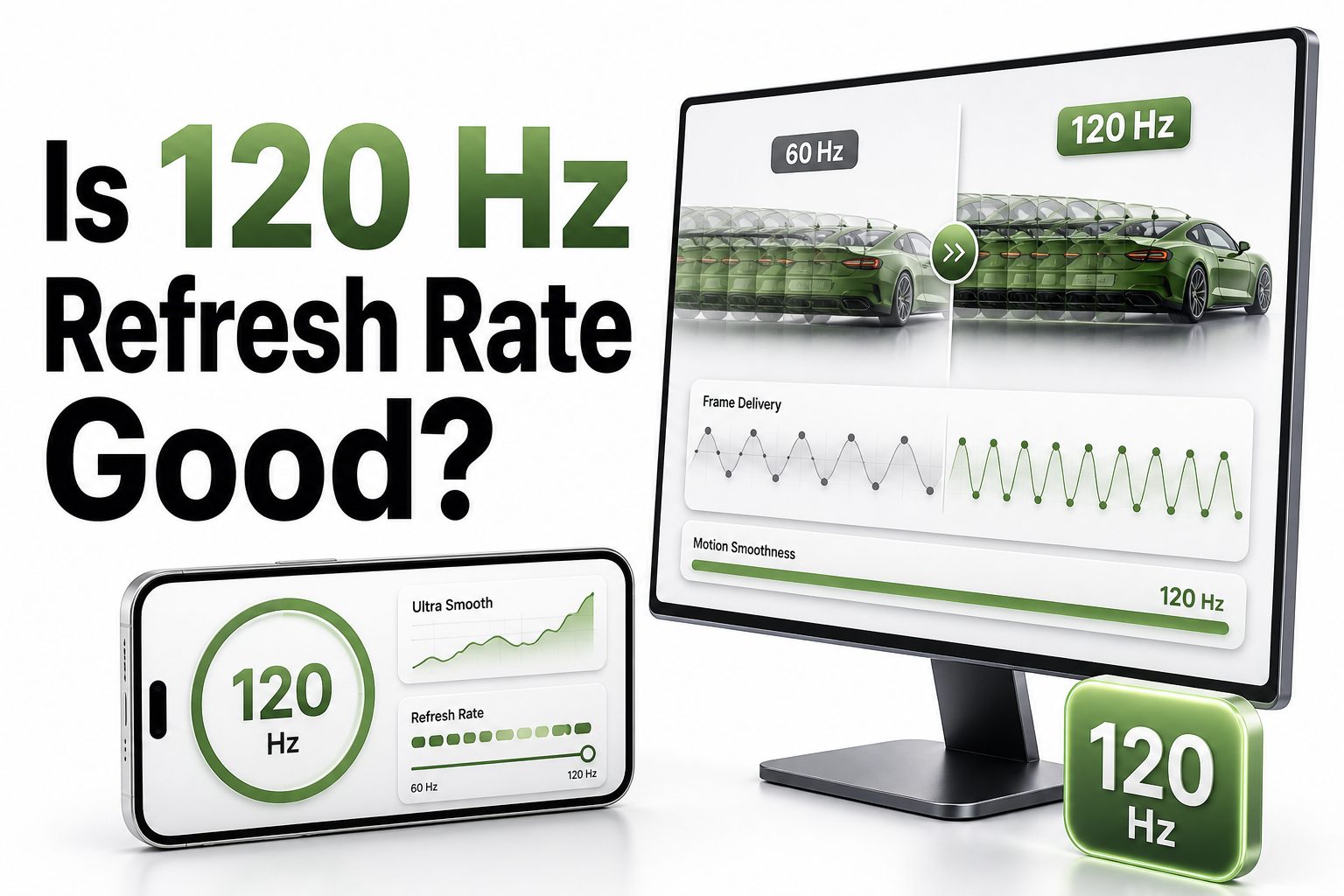
Is 120 Hz refresh rate good for everyday use, gaming, streaming, and work? For most people, yes, but the real value depends on what you do with your screen. A 120 Hz display refreshes twice as often as a 60 Hz display, which can make motion look smoother and controls feel more responsive.
The difference is easiest to notice when scrolling, gaming, watching high-frame-rate content, or using a phone with fast animations. It is less obvious when reading static pages, writing documents, or watching standard movies. That is why 120 Hz is useful, but not always essential.
If you are buying a phone, monitor, TV, tablet, or laptop, refresh rate should be weighed alongside resolution, panel quality, brightness, response time, battery life, and price. A good 120 Hz display can feel excellent, but a poor-quality one may still disappoint.
What 120 Hz Refresh Rate Actually Means
A 120 Hz refresh rate means the screen can refresh the image 120 times per second. By comparison, a 60 Hz screen refreshes 60 times per second. More refreshes can reduce perceived blur and make movement appear cleaner when the content or device can keep up.
Refresh rate is not the same as frame rate, although they work together. A display may support 120 Hz, but games, videos, apps, or hardware must deliver enough frames to take advantage of it. Without matching performance, the benefit becomes smaller.
Why 120 Hz Looks Smoother Than 60 Hz
The main reason 120 Hz looks smoother is that motion updates more often. When you scroll a webpage, move a cursor, pan a camera in a game, or swipe through an app, the screen has more opportunities to show intermediate movement.
This does not mean every person notices the change equally. Some users immediately feel the improvement, while others only notice after switching back to 60 Hz. The difference is usually more obvious on larger screens, fast games, and touch-based devices.
Quick Benefits of 120 Hz
- Smoother scrolling on phones, tablets, and laptops
- Better motion clarity in fast games
- Lower perceived input delay
- More responsive touch interactions
- Cleaner camera movement in supported games
- Better support for high-frame-rate content
- A more premium feel during everyday navigation
Is 120 Hz Good for Gaming
For gaming, 120 Hz is generally very good, especially in fast-paced titles. Shooters, racing games, fighting games, sports games, and competitive multiplayer titles benefit most. The smoother motion can make aiming, turning, and reacting feel more precise.
The benefit depends on whether your console or PC can produce high frame rates. A 120 Hz monitor is most valuable when your system can run games near 120 frames per second. If performance stays near 60 fps, the difference is smaller.
Console Gaming at 120 Hz
Modern consoles support 120 Hz output in selected games, usually through HDMI 2.1 on TVs or compatible monitors. This can make supported titles feel noticeably faster and cleaner, particularly in performance modes designed for competitive play.
There are tradeoffs. Some console games reduce resolution, ray tracing, or visual detail to reach 120 fps. For single-player cinematic games, many players prefer higher image quality at 60 fps instead of chasing the highest refresh rate.
PC Gaming at 120 Hz
On PC, 120 Hz is a strong middle ground between basic 60 Hz and very high refresh displays like 240 Hz or 360 Hz. It provides a major smoothness upgrade without always requiring extremely expensive graphics hardware.
A good gaming PC can often hit 120 fps at 1080p or 1440p, depending on the title and settings. For esports players, higher refresh rates can still help, but 120 Hz is already a meaningful step up for most gamers.
Gaming Checklist Before Buying 120 Hz
- Check that your device supports 120 Hz output
- Confirm the monitor or TV has the right HDMI or DisplayPort version
- Look for low input lag, not just high refresh rate
- Check response time to avoid ghosting
- Use performance mode in supported games
- Pair 120 Hz with variable refresh rate when possible
- Make sure your graphics card can reach high frame rates
Is 120 Hz Good for Phones
On phones, 120 Hz can make the entire device feel faster. Scrolling through apps, opening menus, swiping between screens, and browsing social feeds usually look smoother. Because phones rely heavily on touch, the responsiveness can be easy to appreciate.
Battery life is the main tradeoff. Many modern phones use adaptive refresh rate technology, which lowers the refresh rate when high speed is not needed. This helps save power while still offering smoother motion when you interact with the screen.
Is 120 Hz Worth It on Laptops
A 120 Hz laptop display can be worthwhile for users who care about smooth scrolling, gaming, creative work, or a premium feel. It can make trackpad movement, window dragging, and animation feel more polished than a standard 60 Hz panel.
For office work, the upgrade is pleasant but not always necessary. If you mainly write emails, work in spreadsheets, or browse static pages, brightness, keyboard quality, battery life, and screen resolution may matter more than refresh rate.
Phone and Laptop Comparison
Feature | 60 Hz Display | 120 Hz Display
Motion smoothness | Basic and acceptable | Noticeably smoother
Touch response | Good enough | More immediate
Battery use | Usually lower | Can be higher
Gaming feel | Limited for fast play | Better for supported titles
Price | More affordable | Often more expensive
Best for | Casual users | Gamers and heavy device users
Is 120 Hz Good for TVs
A 120 Hz TV can be a smart choice, especially if you watch sports, play console games, or want better motion handling. Fast camera pans and quick movement can look cleaner when the TV has a true 120 Hz panel.
However, not every “motion rate” label means true 120 Hz. Some TV brands use marketing terms that combine software processing with panel refresh. Before buying, check the native refresh rate and HDMI specifications, especially if gaming matters.
Movies and Streaming on 120 Hz
Most movies are filmed at 24 frames per second, while much streaming content plays at 24, 30, or 60 fps. A 120 Hz TV can display 24 fps content evenly because 120 divides cleanly by 24.
That can reduce judder when handled properly, but it does not turn movies into true 120 fps content. Motion smoothing features may create an artificial look, so many viewers prefer disabling them for films and scripted shows.
Important TV Facts
- True 120 Hz panels are different from marketing motion-rate labels
- HDMI 2.1 matters for 4K gaming at 120 Hz
- Sports can look cleaner on a strong 120 Hz TV
- Movies do not become 120 fps automatically
- Motion smoothing can look unnatural
- Input lag is important for gaming
- Panel quality still matters more than refresh rate alone
120 Hz Versus 60 Hz in Daily Use
For daily use, 120 Hz feels most useful during motion. Scrolling webpages, moving windows, switching apps, and navigating menus all feel more fluid. The improvement can make a device feel more expensive and responsive, even when raw performance is unchanged.
For static tasks, 60 Hz is still fine. Reading articles, editing documents, checking email, and viewing photos do not require a high refresh rate. If your budget is tight, a better display panel may be more valuable than refresh rate alone.
120 Hz Versus 144 Hz and Higher
A jump from 60 Hz to 120 Hz is much more noticeable than the jump from 120 Hz to 144 Hz. Both 120 Hz and 144 Hz feel smooth, and most casual users would be happy with either option.
Higher refresh rates such as 240 Hz or 360 Hz are aimed mainly at competitive gamers. They reduce latency further, but the gains become smaller and require stronger hardware. For most buyers, 120 Hz is the practical sweet spot.
Refresh Rate Comparison
Refresh Rate | Best Use | Main Advantage
60 Hz | Basic work and streaming | Lower cost and battery use
90 Hz | Midrange phones | Smoother than basic displays
120 Hz | Gaming, phones, TVs, laptops | Strong balance of smoothness and value
144 Hz | PC gaming monitors | Slightly smoother than 120 Hz
240 Hz+ | Competitive esports | Lowest latency for serious players
Does 120 Hz Improve Input Lag
A 120 Hz display can reduce the time between input and visible response because the screen updates more frequently. This is helpful in games where quick reactions matter, and it can also make touchscreens feel more immediate.
Refresh rate is only one part of input lag. The device processor, game engine, display processing, wireless controller, and TV picture mode all matter. For TVs, using game mode can be just as important as choosing a 120 Hz panel.
Does 120 Hz Affect Battery Life
On portable devices, 120 Hz can use more power because the screen refreshes more often. This can reduce battery life, particularly during long scrolling sessions, gaming, or app use with constant motion.
Adaptive refresh rate helps solve this issue. Many phones and laptops can lower the refresh rate when showing still content, then raise it during interaction. This gives users smoother motion without wasting as much energy all day.
Battery-Saving Tips for 120 Hz Devices
- Use adaptive refresh rate when available
- Lower brightness before lowering refresh rate
- Switch to 60 Hz during travel or low battery
- Avoid high frame rates in games when battery matters
- Keep software updated for display power improvements
- Use dark mode on OLED screens when practical
- Turn off unnecessary background activity
Panel Quality Still Matters
Refresh rate alone does not make a screen good. A high-quality 60 Hz OLED or mini-LED panel may look better than a cheap 120 Hz LCD with poor contrast, weak brightness, or inaccurate colors.
Before choosing a screen, consider resolution, brightness, color accuracy, viewing angles, response time, and HDR performance. A balanced display is better than one impressive specification. For more screen-buying help, see [Internal Link: Monitor Buying Guide].
Response Time and Motion Blur
Response time describes how quickly pixels change from one color or shade to another. A screen can be 120 Hz but still show blur or ghosting if pixel response is slow. This is common on some lower-quality panels.
OLED displays usually have very fast response times, while LCD performance varies by panel type. Gaming monitors often advertise response time, but real-world reviews are more useful than manufacturer claims. Motion clarity depends on both refresh rate and pixel behavior.
Specs That Matter Alongside Refresh Rate
- Native resolution
- Panel type
- Peak brightness
- Contrast ratio
- Color accuracy
- HDR support
- Pixel response time
- Input lag
- Variable refresh rate support
- Port compatibility
When 120 Hz Is Worth Paying For
A 120 Hz screen is worth paying for if you game often, use your phone heavily, watch sports, or care about smooth motion. It is also worthwhile if you plan to keep the device for several years.
The upgrade is less important if you mostly use static apps, watch regular movies, or need the lowest possible price. In those cases, spending extra on storage, battery life, build quality, or a better panel may make more sense.
When 60 Hz Is Still Enough
A 60 Hz display is still perfectly usable for many people. It handles web browsing, office work, video calls, streaming, reading, and casual use without issue. Many budget phones, monitors, and laptops remain practical because the basics are solid.
If you are not sensitive to motion smoothness, 60 Hz may not feel limiting. Some users notice refresh rate immediately, while others care more about brightness, sharpness, size, or color. Personal preference matters more than spec-sheet pressure.
Simple Buying Advice
- Choose 120 Hz for gaming, sports, and premium phone use
- Choose 60 Hz when price and battery life matter most
- Pick true 120 Hz for TVs, not vague motion-rate labels
- Prioritize low input lag for console gaming
- Check GPU performance before buying a gaming monitor
- Avoid paying extra for 120 Hz on a poor-quality panel
- Read real reviews before relying on advertised specs
The Role of Variable Refresh Rate
Variable refresh rate, often called VRR, lets a display match its refresh rate to the frame rate of the content. This can reduce screen tearing and stutter, especially in games where performance rises and falls during play.
VRR is particularly useful with 120 Hz displays because games may not stay locked at 120 fps. Instead of showing uneven motion, the screen adjusts dynamically. For gaming, 120 Hz plus VRR is usually better than 120 Hz alone.
120 Hz for Creative Work
Creative professionals may enjoy 120 Hz because interface movement feels smoother in editing software, design tools, and animation timelines. It can make scrubbing, zooming, panning, and pen input feel more responsive during long work sessions.
Still, color accuracy matters more for photo editing, video grading, and design. A creator should not choose 120 Hz at the expense of accurate color, proper calibration, or wide color coverage. Refresh rate helps comfort, but it does not replace panel quality.
Best Use Cases for 120 Hz
Use Case | Value of 120 Hz | Why It Helps
Competitive gaming | High | Faster visual updates and lower delay
Phone scrolling | High | Smoother touch interaction
Sports viewing | Medium to high | Cleaner motion on fast action
Office work | Low to medium | Pleasant but not essential
Movie watching | Low to medium | Better cadence support, limited frame-rate gain
Creative apps | Medium | Smoother tool movement and pen input
Common Misconceptions About 120 Hz
One common misconception is that 120 Hz automatically improves every type of content. It does not. Static images, text documents, and most movies do not suddenly gain extra detail because the screen refreshes faster.
Another misconception is that all 120 Hz screens feel the same. A display with poor response time, high input lag, or weak processing can still feel disappointing. The full display system matters, not just the number printed on the spec sheet.
How to Tell If You Notice the Difference
The easiest way to judge 120 Hz is to compare it directly with 60 Hz. Scroll a long webpage, move the cursor quickly, swipe through apps, or test a fast game. Then switch back to 60 Hz and repeat the same actions.
Many people notice the downgrade more than the upgrade. After using 120 Hz for several days, 60 Hz can feel less fluid. If you barely notice the change, you can confidently save money and prioritize other features.
Quick Testing Checklist
- Scroll a text-heavy webpage
- Move windows or apps across the screen
- Test a supported high-frame-rate game
- Compare touch response on a phone
- Watch sports or fast camera movement
- Switch back to 60 Hz after a few days
- Check battery impact during normal use
Conclusion
A 120 Hz display is a strong upgrade for many people, but it is not automatically the best choice in every situation. It shines most in gaming, phones, sports viewing, and any task involving frequent motion. The smoother feel can make a device more enjoyable and responsive.
At the same time, refresh rate should never be judged alone. Panel quality, brightness, color, response time, input lag, battery life, and price all affect the final experience. A great 60 Hz screen can still beat a weak 120 Hz screen in overall quality.
So, is 120 hz refresh rate good? Yes, especially when the device, content, and your habits can take advantage of it. If you care about motion clarity and responsiveness, it is usually worth choosing. If your use is mostly simple and static, 60 Hz can still serve you well.
FAQ
Is 120 Hz better than 60 Hz?
Yes, 120 Hz is smoother than 60 Hz because the display refreshes twice as often. The difference is most noticeable in gaming, scrolling, touch response, and fast motion, but less important for reading or basic video streaming.
Does 120 Hz matter for movies?
It can help with smooth playback, especially because 120 Hz works well with 24 fps movies. However, most films are not made at 120 fps, so the benefit is smaller than it is for gaming or sports.
Is 120 Hz good for console gaming?
Yes, 120 Hz is good for console gaming when the game supports 120 fps and your TV or monitor has the right ports. It can improve responsiveness, but some games lower visual quality to reach higher frame rates.
Does 120 Hz drain battery faster?
It can use more battery on phones, tablets, and laptops, especially during motion-heavy use. Adaptive refresh rate reduces this issue by lowering the refresh rate when the screen does not need to update quickly.
Should I buy a 120 Hz monitor?
Buy a 120 Hz monitor if you game, value smooth motion, or want a more responsive desktop feel. For basic office work, a high-quality 60 Hz monitor may be enough, especially if budget is limited.
0 Comments